 ScriptureCaster
The verse on the screen,
in three taps.
ScriptureCaster is Bible projection software built for the person who actually operates it — a volunteer with a touch screen, standing at the back, with thirty seconds before the reading starts.
No account, no subscription, no internet connection required.
Three things that make it different
Nothing scrolls
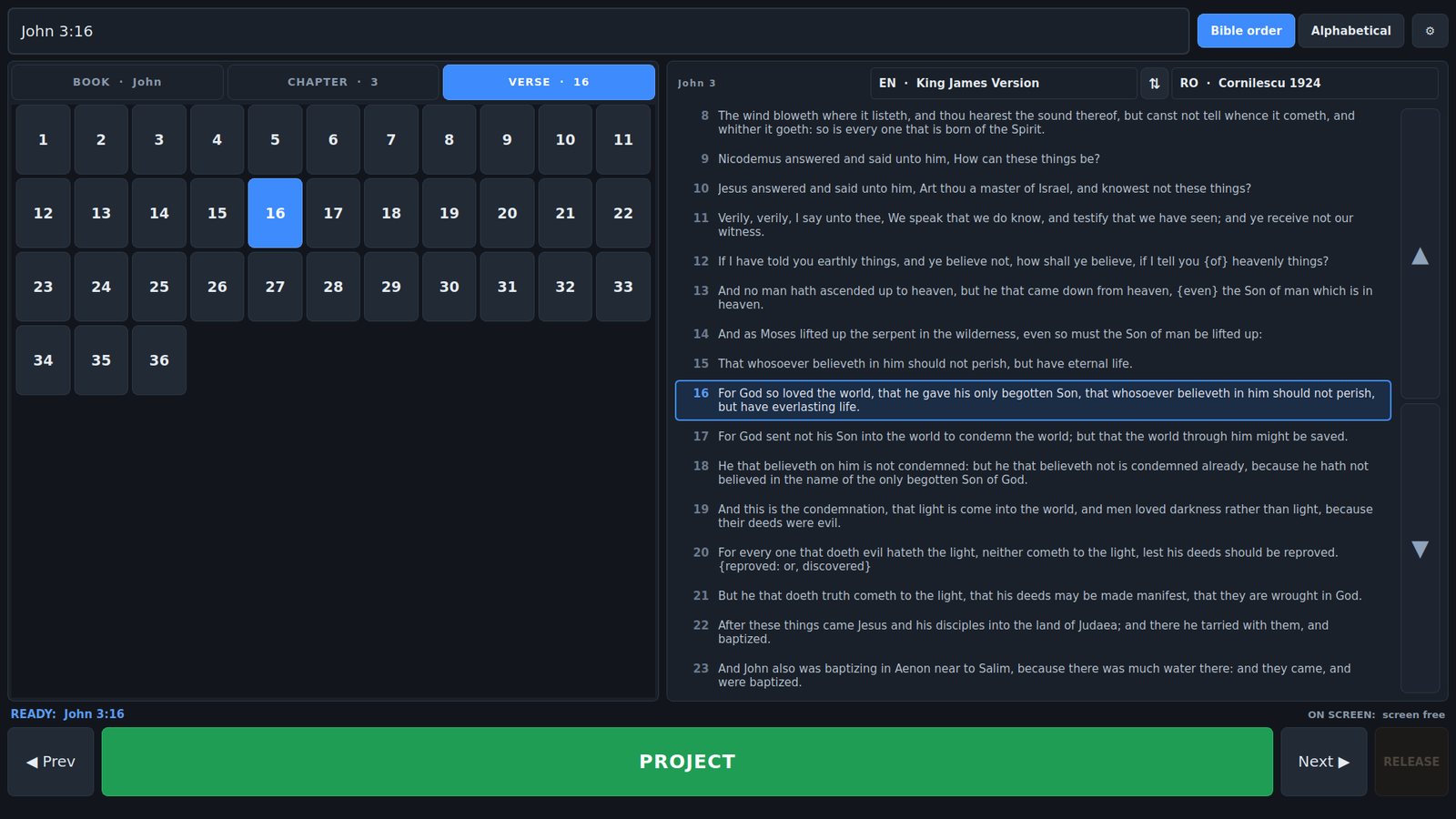
All 66 books are on screen at once as four-letter codes. Every chapter of Psalms and every verse of Psalm 119 fit one page at 1080p. A scrollbar is a mouse control, and dragging a list while watching a projector is how you land on the wrong verse.
The projector is borrowed, not occupied
Nothing appears on the projector when the app opens. The screen belongs to whatever else is on it until you project a verse, and Eschands it straight back. There is no black slide — the app never sits on the screen showing nothing.
Two languages, properly
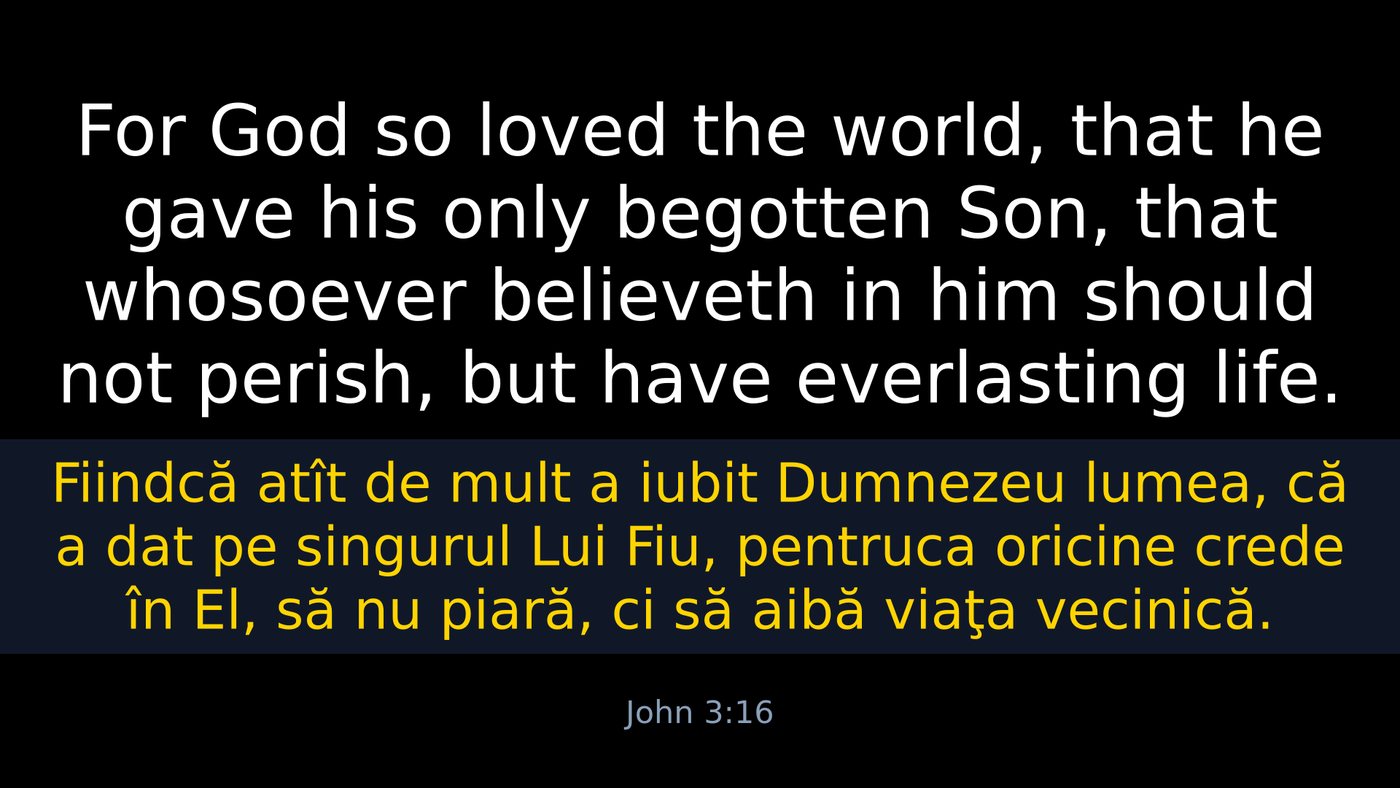
Romanian over English, English over Romanian, or one alone — with each language given its own font, size, colour and background. Swap the order mid-service for a visiting speaker without touching Settings.
Built for a Sunday morning, not a demo
Every decision in the interface came from the same question: what happens when the preacher says a reference you did not expect, and forty people are waiting?
Type it if that's faster
mat 3 16 and press Enter. The search box takes shorthand, full names in either language, old abbreviations, and words from the verse itself when you cannot remember the reference.
Read ahead while a verse is live
The passage panel shows the chapter around the verse that is up, so you can follow the sermon and line up the next one. What is queued and what is on screen are shown separately, because they are rarely the same.
Targets never shrink
On a small screen the reading panel gives up space before the buttons do. One extra page of numbers costs one tap; a smaller button costs every tap for the rest of the service.
Escape is the panic key
Whatever else is happening, Esc takes the verse off the projector and gives the screen back. It does that before it does anything else.
More than one screen, and NDI too
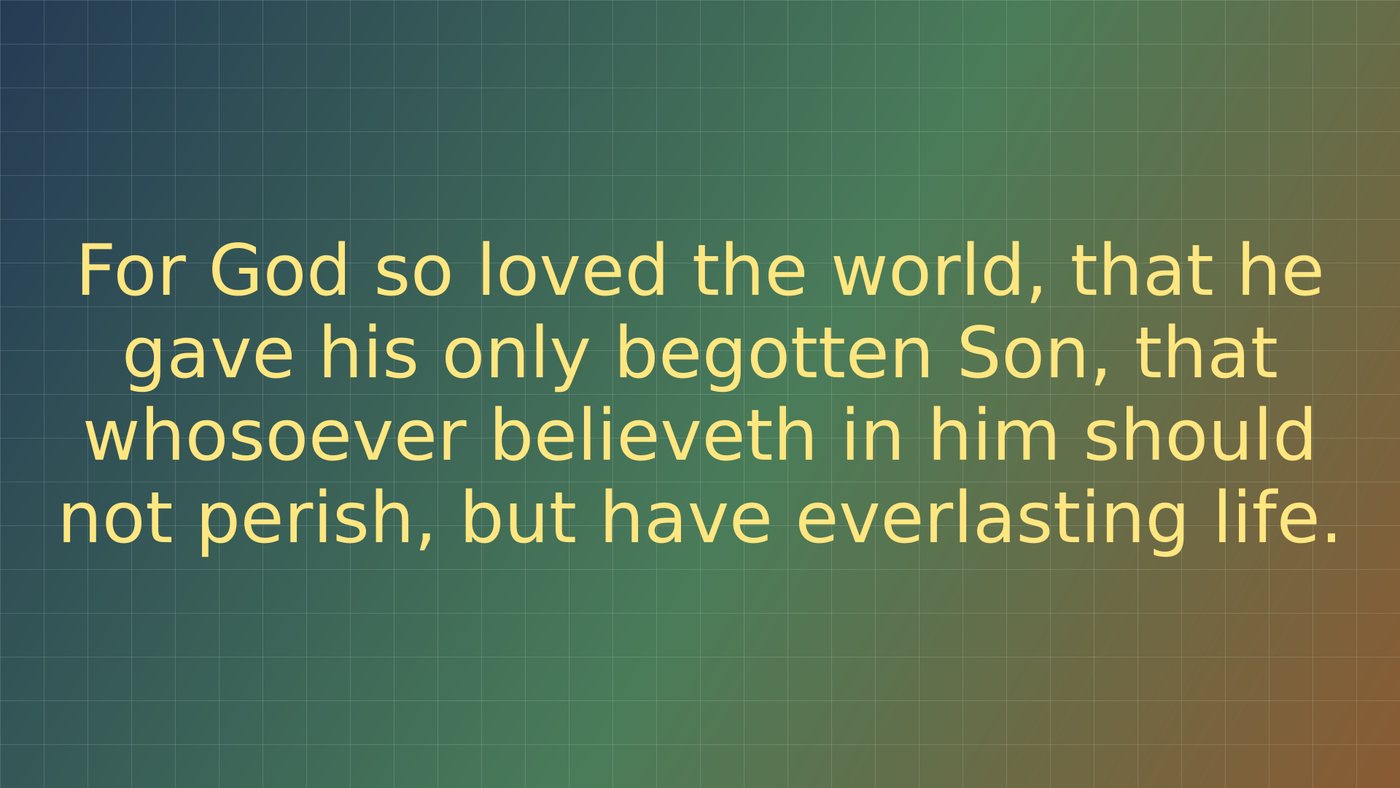
Drive the main projector in both languages and a foyer screen in English alone, from the same tap. NDI is a separate output again — its own languages, its own resolution, and a transparent background so the verse can be keyed straight over live video with no chroma key.
Free, and meant to stay that way
ScriptureCaster is given away because a church should not have to choose between a projector and a licence fee. Every Bible translation it carries is credited to the people who made it, and nothing is redistributed without permission.